Conga
Conga was a Salesforce application start-up that was one of the top Salesforce solutions. Their customer help content was buried in an outdated and difficult-to-use knowledge base. I was hired as a consultant to audit the existing knowledge-base and PDF-based content for their multiple cloud-based applications. I removed outdated, unnecessary, and repetitious topics. After several months, I was asked to join the company as a full-time employee.
Designed and implemented an award-winning unified single-sourced interactive HTML5 support site using MadCap Flare and Analyzer. Coded the CSS and HTML to implement the look and functionality of the site and the accompanying suite of linked PDF documentation. Attended Information Development World conference to accept the best in class and best in show Customer Experience Recognition Awards (CERA) for Congasphere.
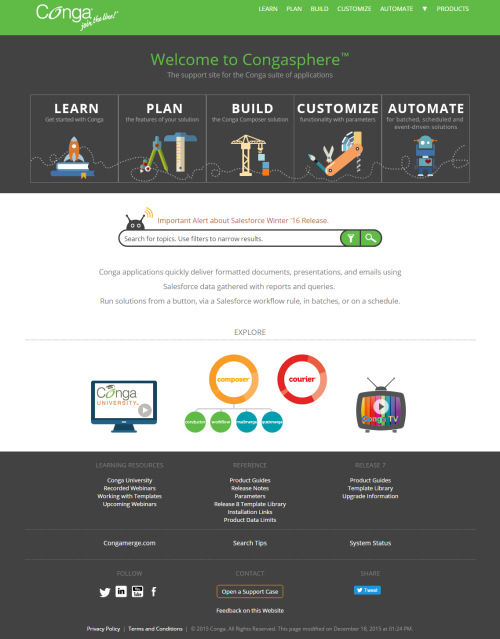
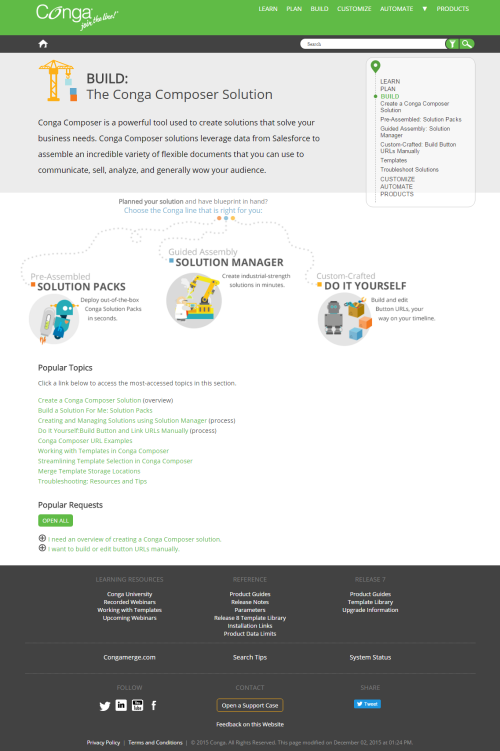
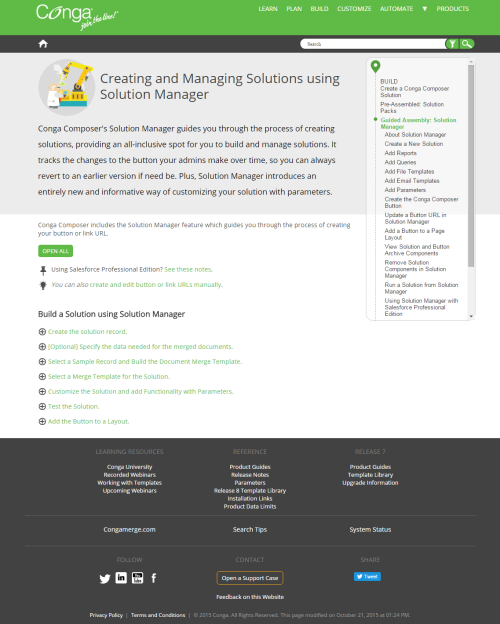
Engaging aspects of this site included:
-
A home-page animation that illustrated the process of creating a Conga solution.
-
Robot-themed animations throughout that also illustrated relevant concepts within the topic.
-
A Google-map themed side menu.
-
Microlearning content incorporated into each topic, to include a high-level summary and the choice to view a detailed-step-by-step and a video walkthrough.
In addition, I designed and consulted on the implementation of using Flare to author/maintain single-sourced, blended learning materials to supplement the learning management system and virtual instructor-led training.
I also designed and implemented a mirror support site to support internal teams, such as Customer Success and the Product Education and Customer Experience, to include non-public-facing content such as pricing documents, policies and procedures, and important technical reference materials.
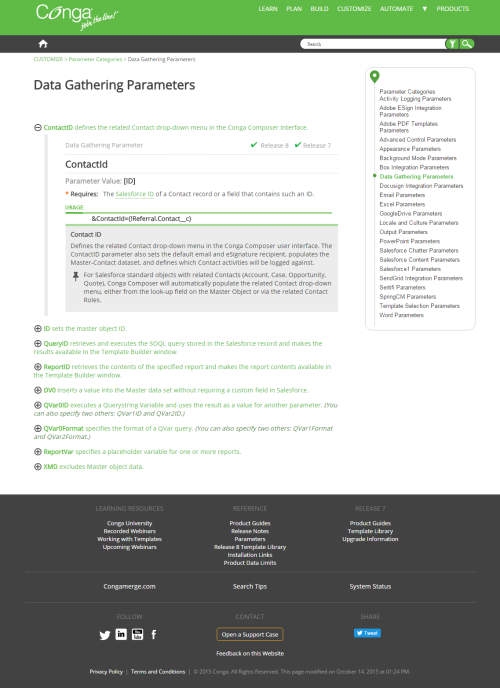
One of the interesting projects at Conga was to integrate the commands and definitions into the software's API, so that developers could easily reference the commands, see examples, and learn relevant or related commands without leaving the application. In the Data Gathering Parameters page image above, the content with the light gray bar on the left side was shared with the application and the help system.
My responsibilities included authoring, updating, and editing topics as well as mentoring team members on tool use and writing standards and styles.
Presented at national industry conventions and co-presented a MadCap Flare webinar on the creation of our Top-Navigation HTML5 web site. Our high-performing, creative team was also profiled in a case study on MadCap Software's site.